Observed behavior
Context: After I edit RAWs, I export the new JPGs into an “Exports” folder within the folder that the image was in. Aspect can read the Export folders without any issue. I have created a collection for all of my edited photos so I can easily access them.
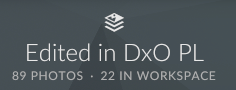
Problem: When I go to the collection for edited photos, only some of the exported images are under “Workspace”. All are visible under “All Files”. All these photos are jpgs and have the same export settings.
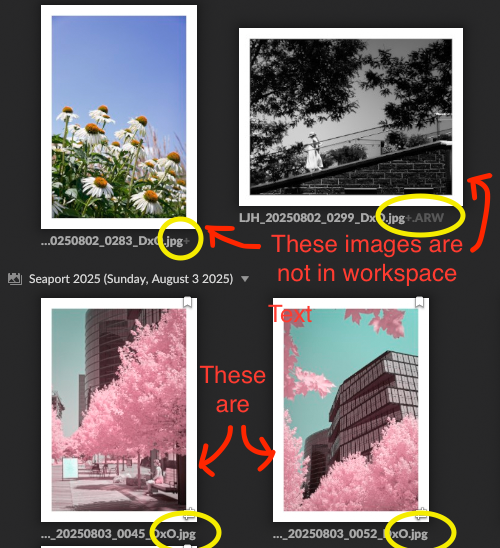
I noticed that there is greyed out text indicating an extra extension in the photos that are not in the workspace, while the ones that are don’t have anythig after “.jpg”. But on my laptop there is no difference in extension.
Expected behavior
I expect that photo files are all imported into the workspace.
Steps required to reproduce
- Create a collection titled “Edited in DxO PL” (names probably don’t matter honestly)
- In folder “Event 1”, select a RAW file. Export it into a sub-folder (within the “Event 1” folder) titled “Export - DxO”
- Wait ~2m for Aspect to read new photo.
- Select the original RAW file in Aspect, click show variants, and find it in the variants panel
- Drag the variant into the collection
I did this over 10 different events, and only photos from 2 events were in the workspace. Some of these were exported all on the same day and with the exact settings, so I’m not sure why Aspect is reading them differently.
Operating system/Hardware used
- Apple M4 Max, macOS Sequoia 15.5
- Aspect Pro, 1.0.0-rc.40