Observed behavior
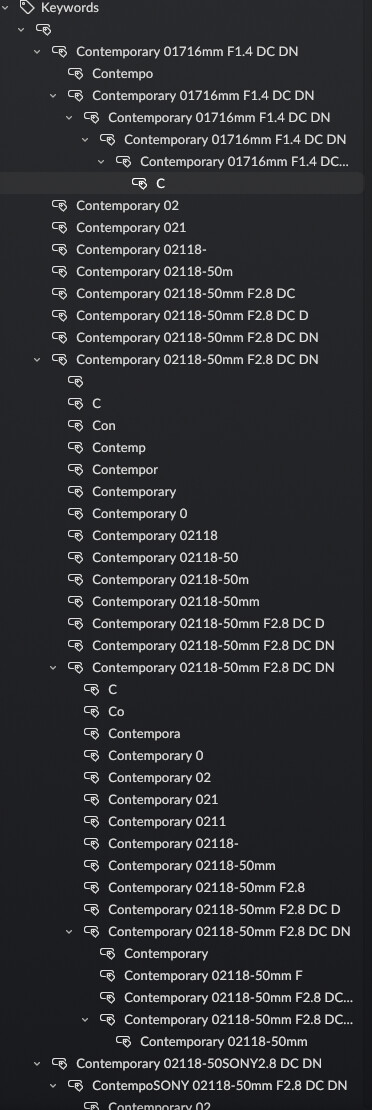
My Aspect library is a few months old. At some point (I’m not sure when), the keywords re-synchronized, and Aspect erroneously generated keywords related to the metadata. Note that none of these keywords are in the image XMPs. So if I load these images in lightroom or other programs, the keywords do not come up. Even if I check a particular image’s metadata in Aspect Pro, the generated metadata keyword is not there (the keywords I had manually put in are).
Keywords generated relating to metadata
These are thousands of keywords, so it makes me scrolling through keywords impossible
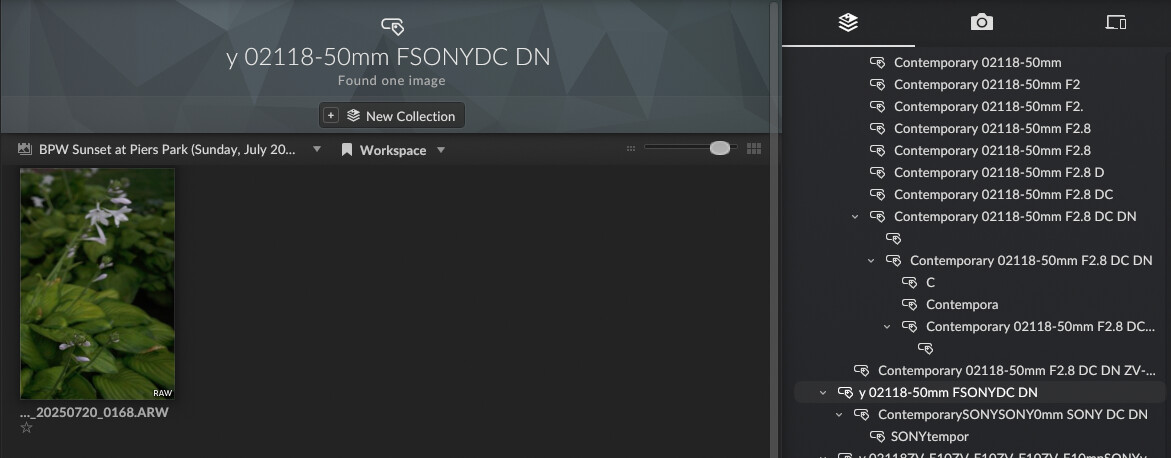
If I click into one of the keywords, usually only one image opens up.
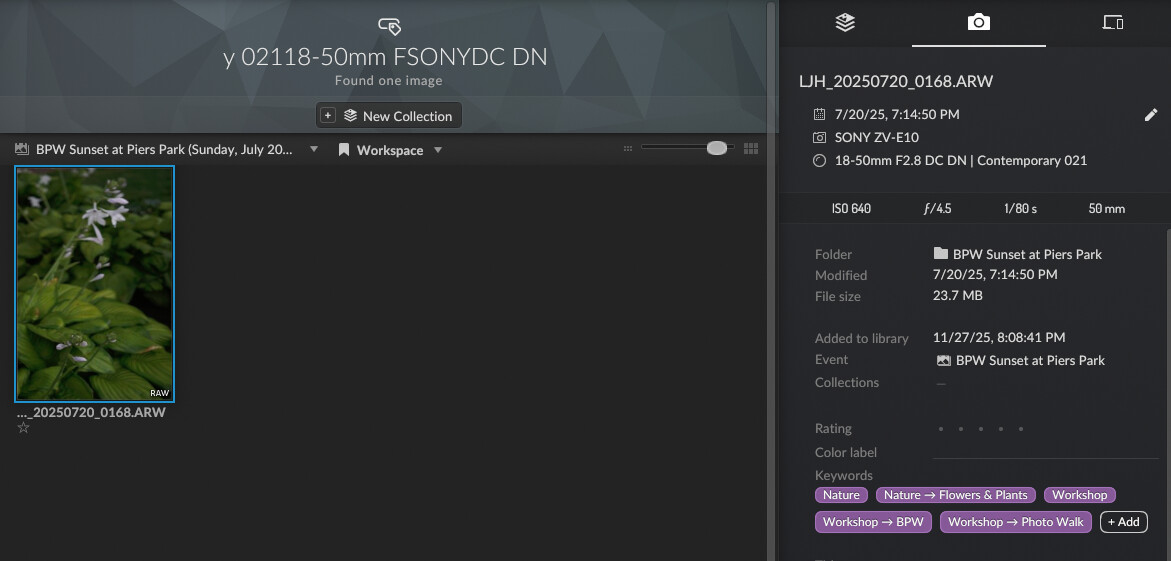
If I look at that same image’s metadata, the keyword generated by Aspect Pro is not there.
What did not work
- When I go to Maintenance > Rebuild Keyword Tree, nothing happens.
- When I regenerate metadata cache, there’s no change
Expected behavior
The only keywords I should be seeing are those that are in the XMP file. And the option to rebuild the keyword tree should be able to fix it if it bugs in the future.
Steps required to reproduce
I didn’t catch this until recently, so I’m not sure how to reproduce it. This happened once before when I first started using Aspect, and I had to start my library from scratch with re-imported photos to fix it. The keywords were fine until I checked recently, when the issue re-emerged.
Operating system/Hardware used
- MacOS Tahoe 26.3.1
- Aspect Pro 1.0.0-rc.49