find . -type f ( -iname “.mp4" -o -iname ".mkv” -o -iname “*.avi” ) | wc -l
4803
So I only have 4803 movies  rest is pictures.
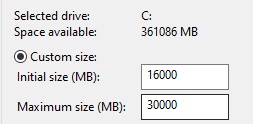
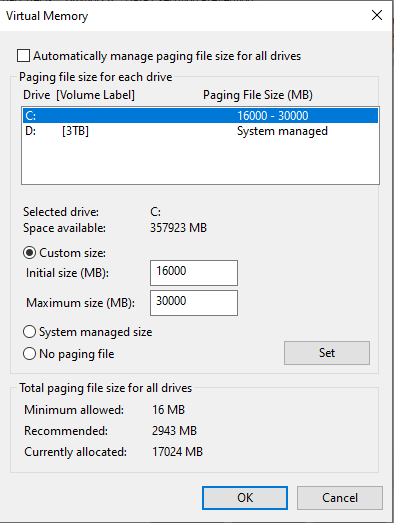
I’m trying to set page file to 16Gb-30Gb. So it some have some extra space..
find . -type f ( -iname “.mp4" -o -iname ".mkv” -o -iname “*.avi” ) | wc -l
4803
So I only have 4803 movies rest is pictures.
I’m trying to set page file to 16Gb-30Gb. So it some have some extra space..
1.0.0-rc.49 is out now and should fix the out-of-memory error. Fingers crossed for the image cache access issue.
Super! I’ve downloaded and upgraded the library. Its scanning. I’ll give you feedback later today.
..So I startet it up and activate all the scan, but that did something and it has crashed.
So I have now removed all the library and the Aspect Individual Photos File.aspectnode FILE, so I can start fresh over again.
I already submittet the start/shutdown report, but I cannot see any errors in the aspect-log.sdl FILE either.
But I’m starting all over again and will let you know. Thank you again for helping.
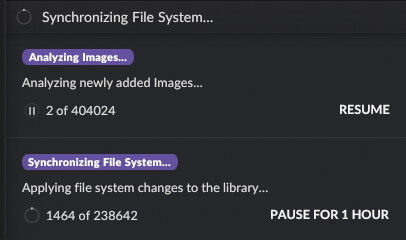
I wish I could inspect the application while it does that. I did try to reproduce the slow scanning speed somehow (imported 250k files, then added another scanned folder with 250k additional photos, killed the application half way and restarted), but it was always fast. Is there possibly something else going on that constantly runs in-between, such as a “Refreshing Keyword Tree” or “Synchronizing With Other Instances” activity?
Did you manage to quit the application this time without the out-of-memory error?
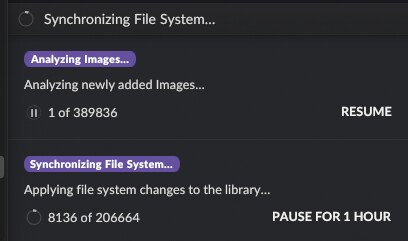
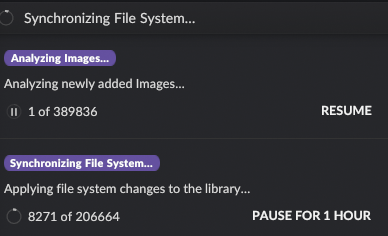
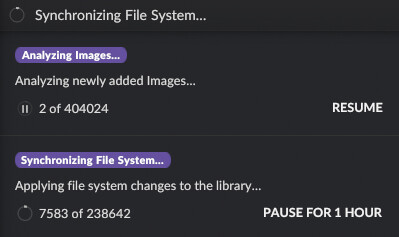
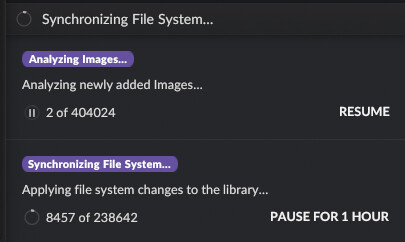
Hi, yes i’m able to now quit application without error coming up. But it seems like the program scans up to 8000+ images.. and then it goes really slow.. days.. and then stops and quits.
Is there a way to read in 5000.. then have the process empty memory and start over ?
I’ve installed Linux Mint on another machine.
Renamed the Aspect Individual Photos File.aspectnode.2 in the MyPicture folder..
(maybe if this file had a name that corresponds to the name of the library, I could run aspect on linux machine and on a windows machine and have them both go to the same library - MyPicture folder)
Trying to run in from the Linux mint now and let it run for a few days…
When it reaches the point where it goes slow, can you identify where the slowdown comes from – i.e. is it still reading a lot of data from disk/network, or does it maybe start to use more memory than system RAM at that point? It could also be something like some UI update that gets triggered with bad timing, or the garbage collector that starts to get slow with high memory usage – in that case the UI should probably also feel rather sluggish.
If it’s RAM usage related and we are not able to find the root cause, I could add a logic that restarts the application when it reaches a certain limit (e.g. the amount of physical RAM in the system).
If it’s a CPU usage/efficiency related problem then it’s unfortunately hard to diagnose remotely. If you are by chance familiar with CPU profiling tools, you might be able to get a 10 second long sampling of the process during the time when it’s slow that could provide a clearer picture. There is a very simple profiler that is easy to use and doesn’t require setup, but I’ve often had that that crash/error out before showing the results, so it’s a bit hit and miss.
In general you should be able to open the same library from Windows and Linux interchangeably - image paths are stored as relative to the library catalog location. There will be a dialog coming up that asks whether the library has been moved or copied when opening it from Linux for the first time – “moved” is the right choice in this case.
Just be careful with how the network share is being mounted on Linux. Some file system drivers do not support modifying large files in-place (the GVFS SMB driver in particular), which means that the image/metadata cache cannot work correctly. I haven’t tested it yet, but I think mounting it as a regular “cifs” file system should work.
Its going slow now…
I really dont know why this is happening.
I can use faststone software to browse the photos.. but it read everything all the time when browsing, so that is why I’m looking for a software that makes the usage more smooth.
But maybe I need to cut down on the library and make it smaller.. hmm..
The GUI still works and I can select a photo and view it.. its slow, but it works. (since its stil scanning).
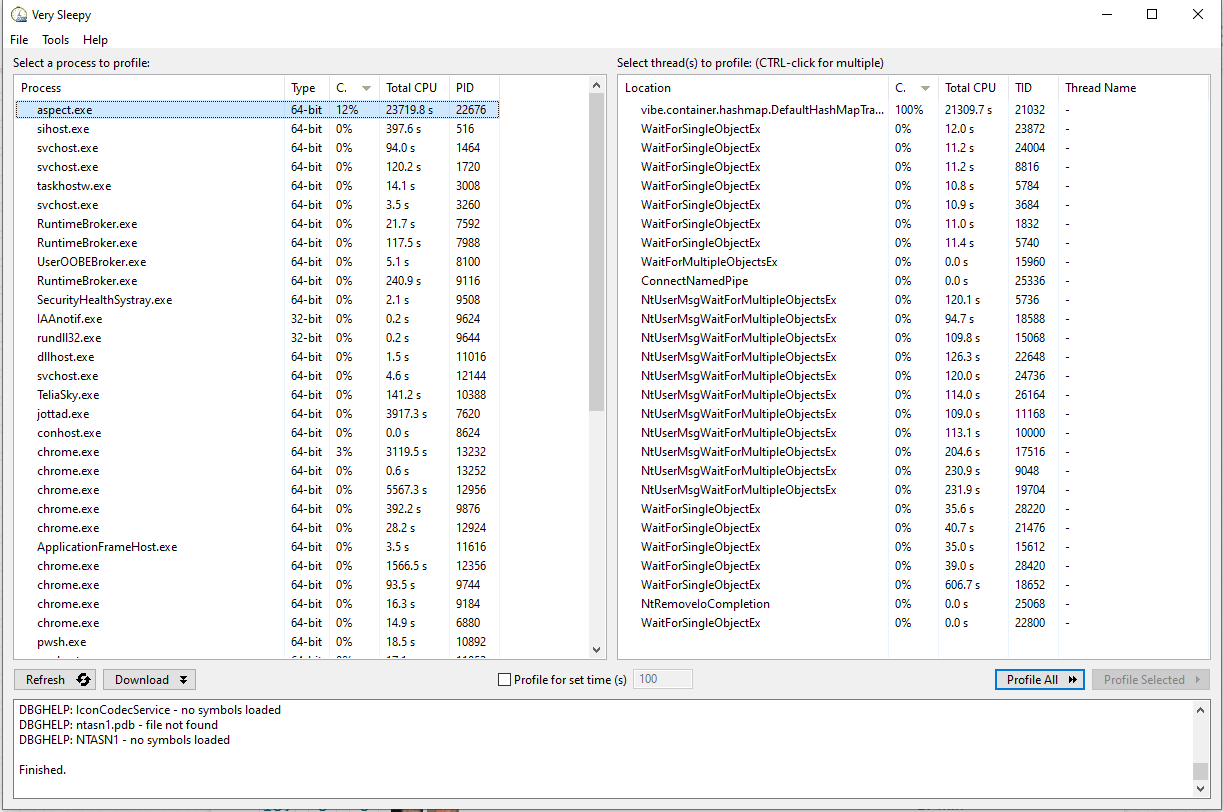
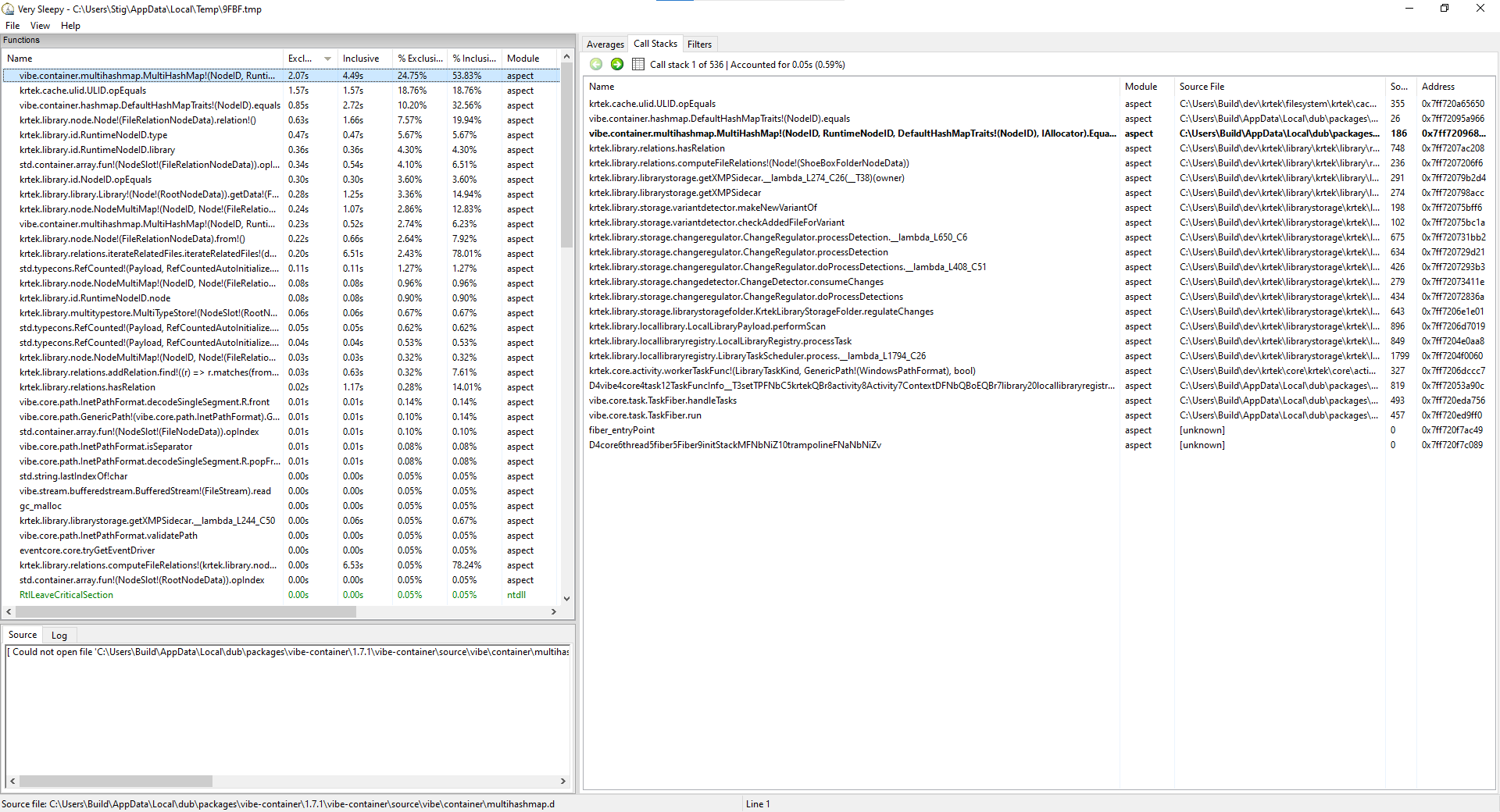
Thanks for the update! At least it is now clear that this (at least very likely) is an issue of the UI thread being overloaded with CPU computations, which normally shouldn’t happen, even for large libraries. The time being spent in hash map code kind of reminds me of an issue that we had where a large number of empty files was in a library, which lead to the duplicate detection code becoming excessively slow (although that particular issue has been fixed for a while).
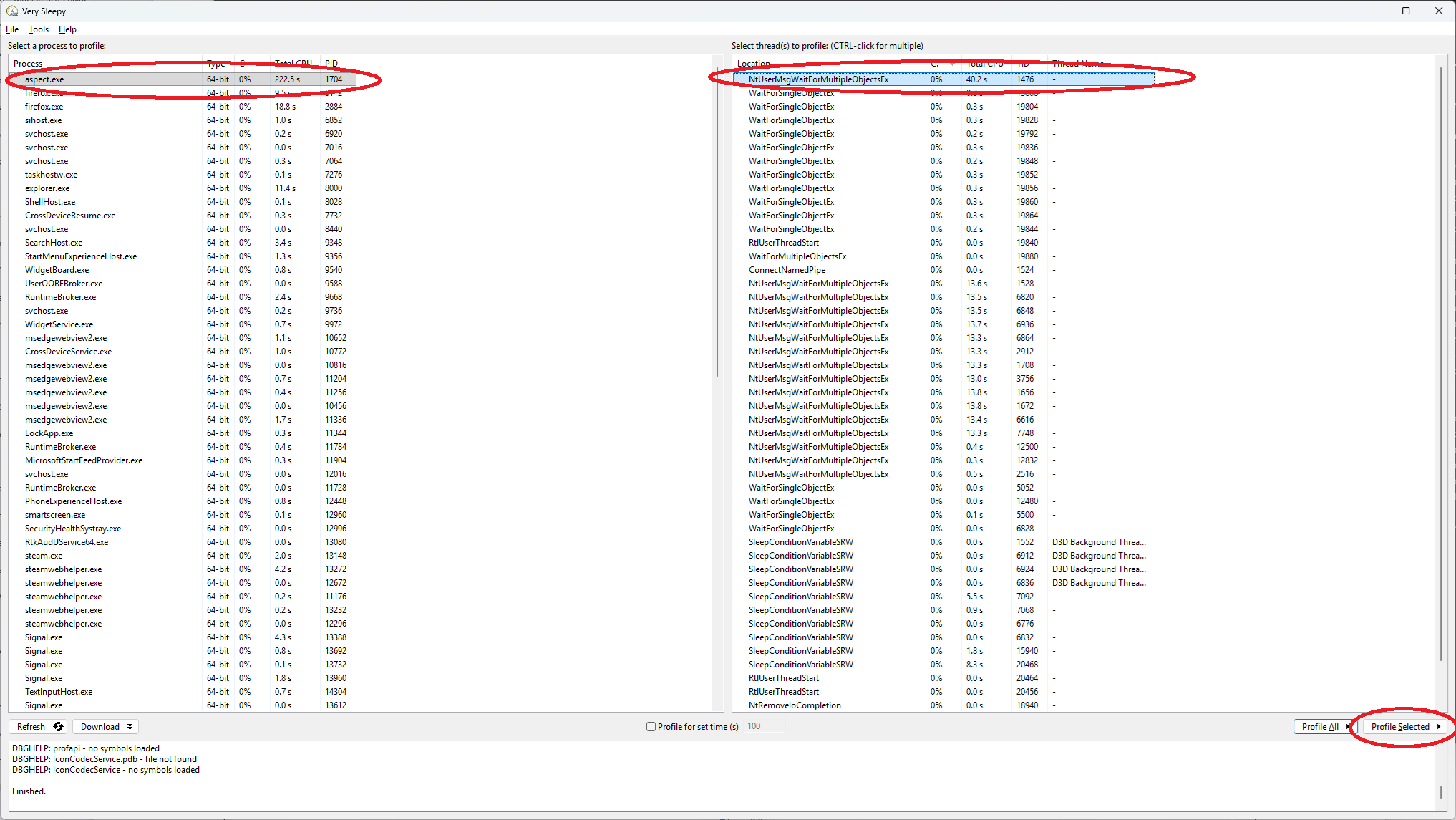
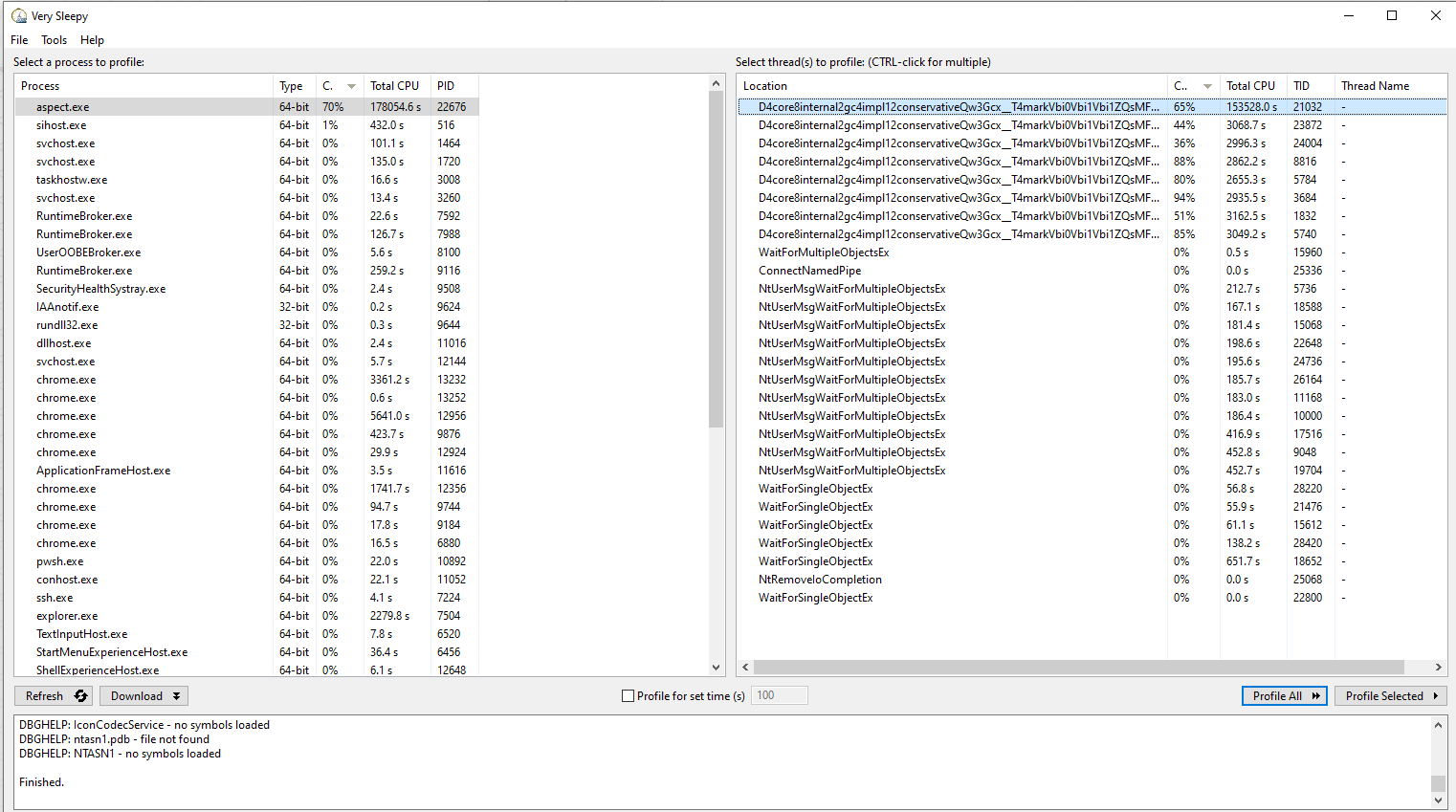
Can you run VerySleepy again and select the “100% CPU” thread on the right and then click “Profile Selected”?
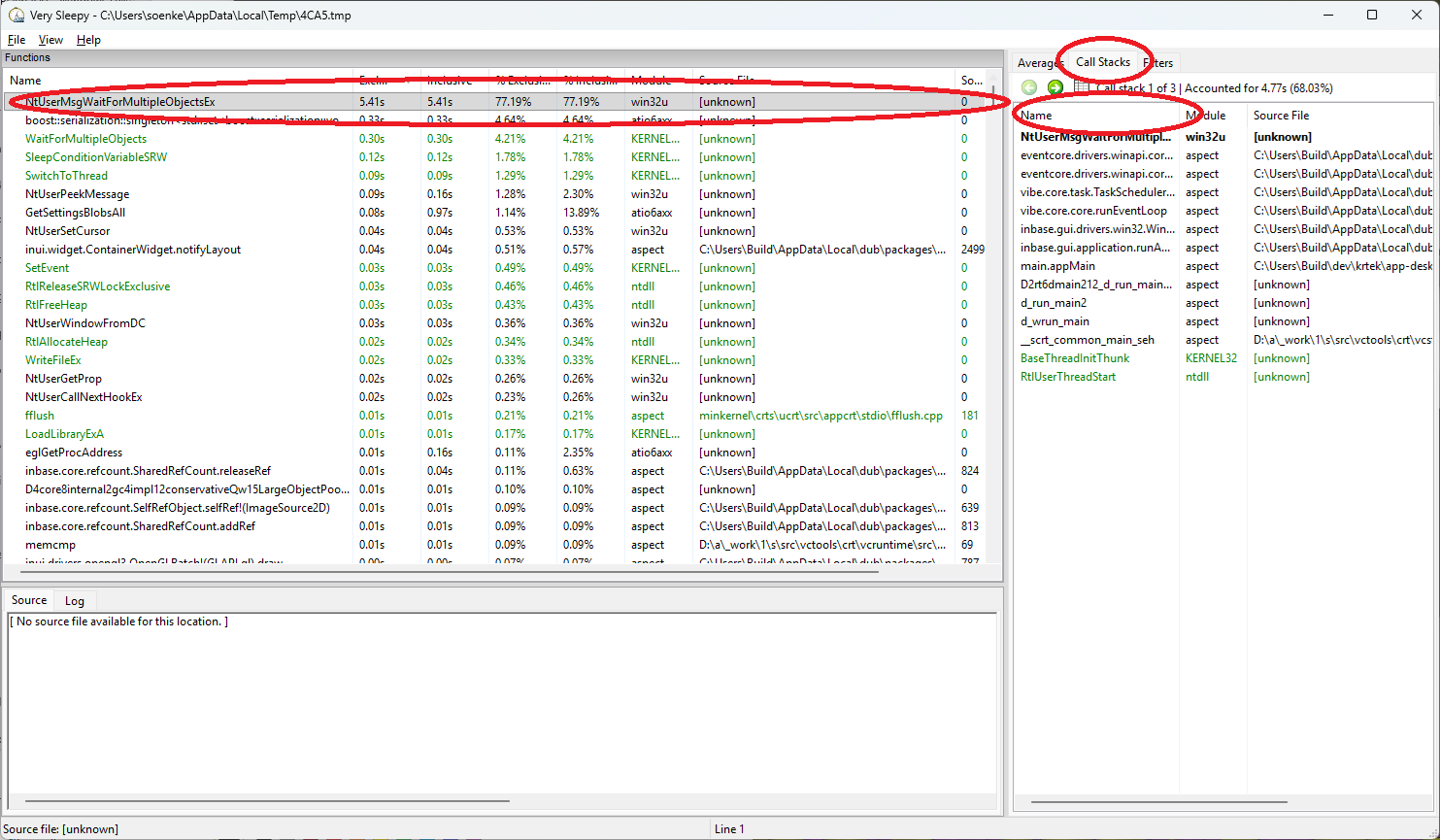
You can then let it run for 5-10 seconds or so and click Stop. Then, on the results page, select the topmost entry on the left and the “Call Stacks” tab on the right (possibly make the “Name” column a bit wider so that as much of the text there is visible as possible):
This view should then hopefully pinpoint the exact place that is responsible for the CPU consumption, so that it’s possible to derive a more targeted theory for the cause of this.
Its come longer now.. it think is reaches about 8000-8500 and then the program exits because I do not have more memory available. (and I have set the virtual memory)

I tried to start the software on the other machine again, with Win11.
Then I had to browse and find the folder.. and select “move” library…
Then suddenly it stared scanning fast… and got up to 155000 files.. but then stopped..
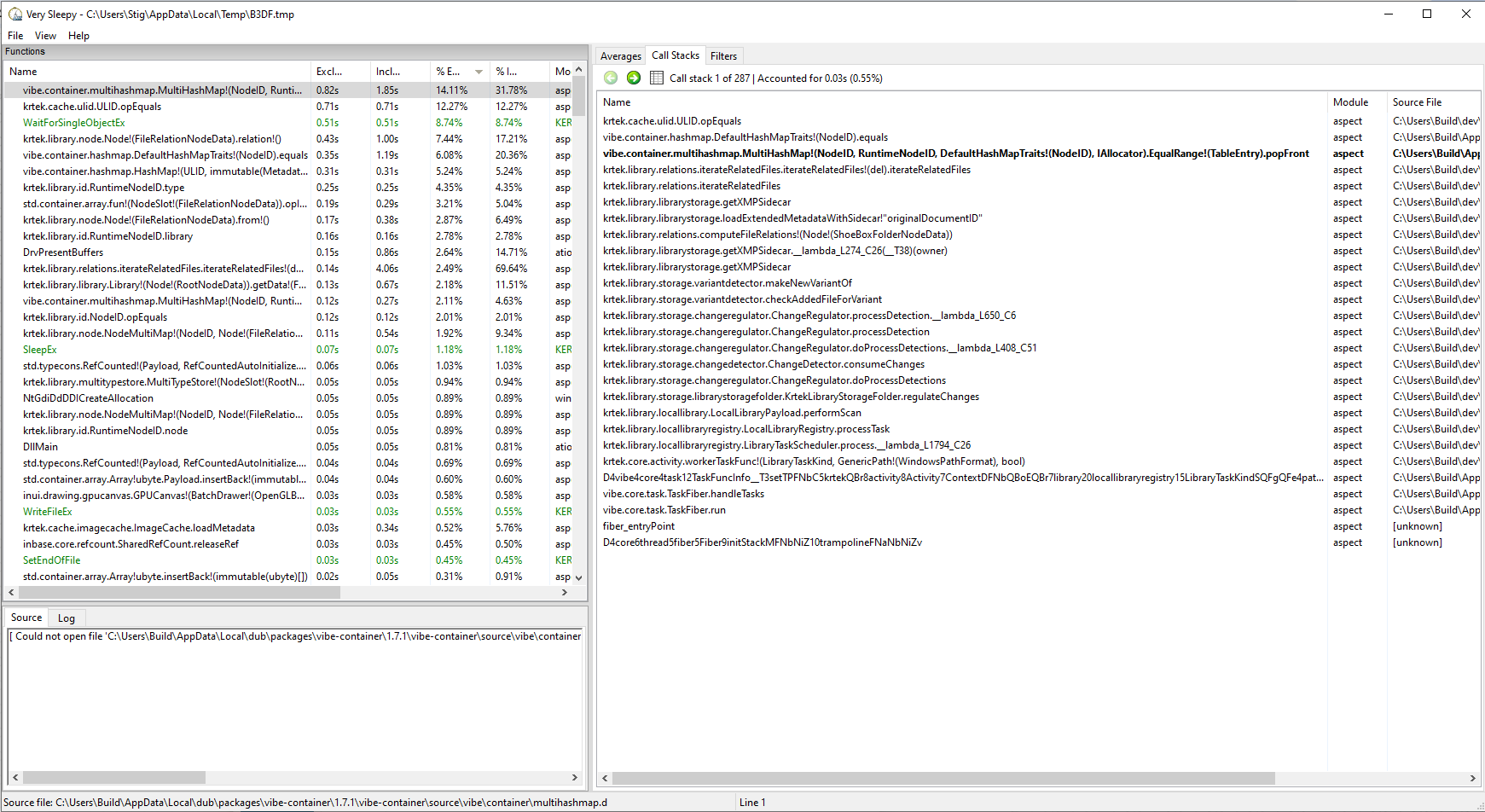
Sleepy showing:
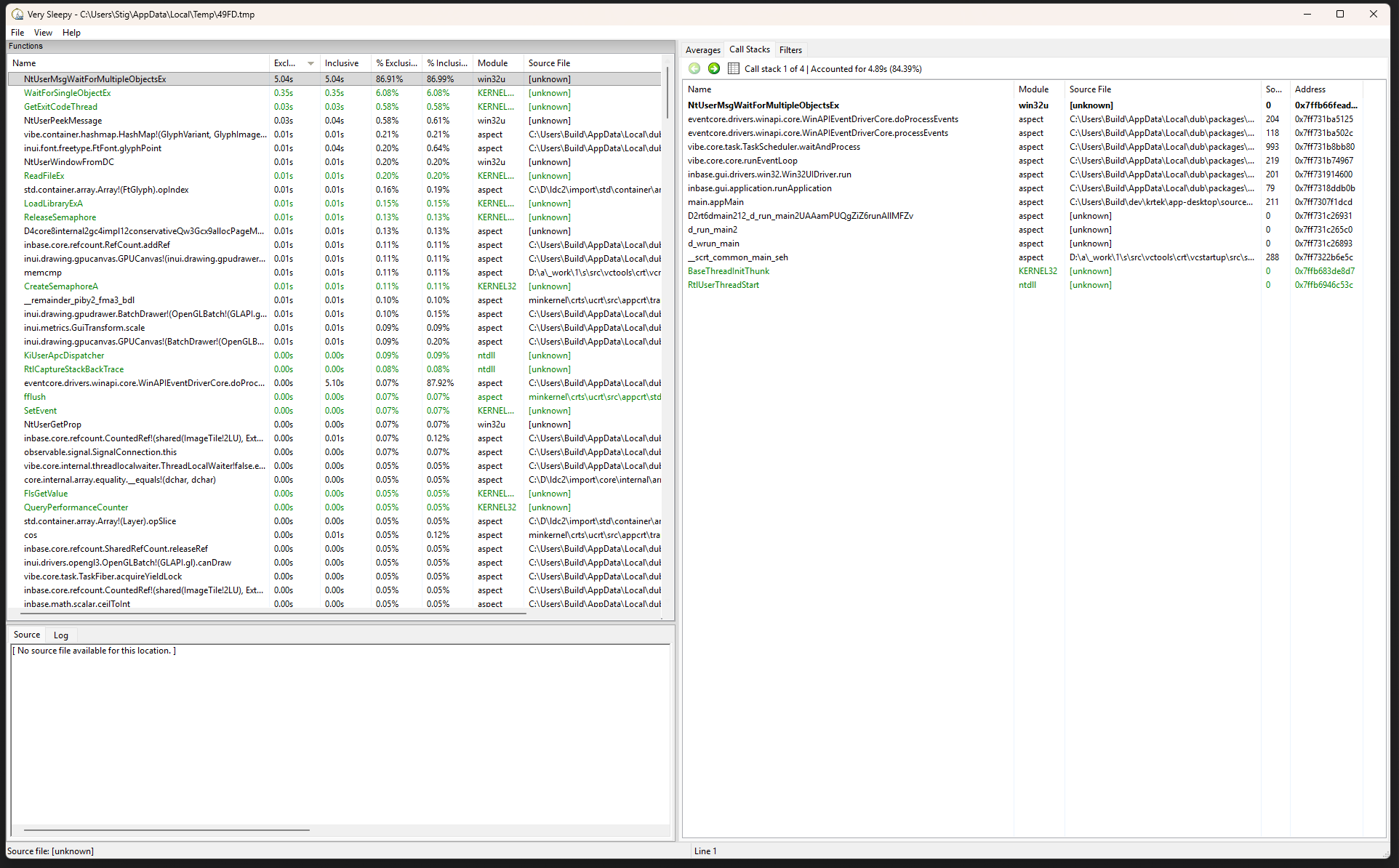
startet it again and it stopped at:
Its pointing to some C:\Users\build… but I do not have any folder like this.. is it just reference and not an actuall path..
I’ve installed ubuntu on a blank HDD.
Reinstalled Aspect.
Making a new Library from scratch.
Linux when run in a prompt gives much better error messages that I can try to find/solve.
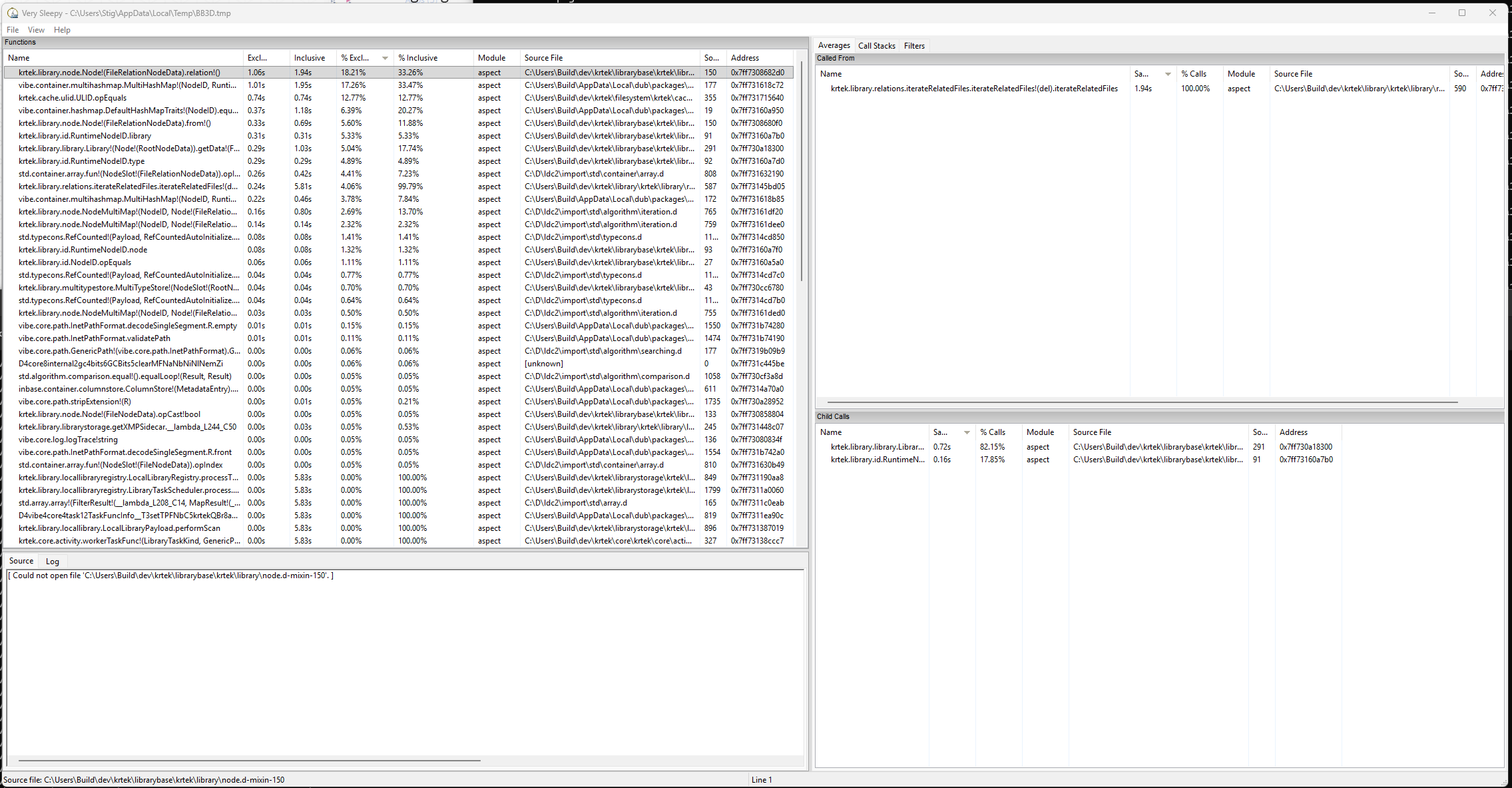
Sorry, I got interrupted last week when starting to look into this further. I still need to get my head around how it’s possible to hit the path that is apparently slowing you down, but with the new screenshots it is clear now where the slowdown comes from.
What happens is that the application tries to determine for each and every file whether it possibly is an edited variant of another file using some heuristics. However, because this can get rather expensive for large scanned folders, it should only happen if at most 100 new files have been detected, but definitely not in your case with many thousand files.
I’ve installed Ubuntu on my PC now. (not laptop)
And its using only 1 cpu to read and calculate stuff… I did try to read everything again, make new library.. but still I quits:
[Main(5ElZ-fin) FATAL] TaskFiber getting terminated due to an uncaught core.exception.OutOfMemoryError: core.exception.OutOfMemoryError@core/internal/gc/impl/conservative/gc.d(526): Memory allocation failed
[Main(5ElZ-fin) FATAL] ----------------
[Main(5ElZ-fin) FATAL] ??:? [0x612a62c393ee]
[Main(5ElZ-fin) FATAL] ??:? [0x612a62c39072]
[Main(5ElZ-fin) FATAL] ??:? [0x612a62c5c1de]
[Main(5ElZ-fin) FATAL] ??:? [0x612a62c4025c]
[Main(5ElZ-fin) FATAL] ??:? [0x612a62c359f6]
[Main(5ElZ-fin) FATAL] ??:? [0x612a62c5015c]
[Main(5ElZ-fin) FATAL] ??:? [0x612a62c4ffdc]
[Main(5ElZ-fin) FATAL] ??:? [0x612a62c4103b]
[Main(5ElZ-fin) FATAL] ??:? [0x612a62c41082]
[Main(5ElZ-fin) FATAL] ../../../krtek/librarybase/krtek/library/serialization/diff.d:1081 [0x612a61b5b53c]
[Main(5ElZ-fin) FATAL] ../../../krtek/librarybase/krtek/library/serialization/diff.d:791 [0x612a61b5aae6]
[Main(5ElZ-fin) FATAL] ../../../krtek/librarybase/krtek/library/serialization/diff.d:73 [0x612a61b58ca0]
[Main(5ElZ-fin) FATAL] ../../../krtek/librarybase/krtek/library/serialization/diff.d:86 [0x612a61b58b2f]
[Main(5ElZ-fin) FATAL] ../../../krtek/librarybase/krtek/library/serialization/revision.d:307 [0x612a61b635ea]
[Main(5ElZ-fin) FATAL] ../../../krtek/librarybase/krtek/library/serialization/revision.d:39 [0x612a61b62f55]
[Main(5ElZ-fin) FATAL] ../../../krtek/librarystorage/krtek/library/storage/folderrevstorage.d:399 [0x612a61892fd6]
[Main(5ElZ-fin) FATAL] ../../../krtek/librarystorage/krtek/library/storage/folderrevstorage.d:244 [0x612a61894aed]
[Main(5ElZ-fin) FATAL] ../../../krtek/librarystorage/krtek/library/locallibrary.d:391 [0x612a618531b1]
[Main(5ElZ-fin) FATAL] ../../../krtek/librarystorage/krtek/library/locallibraryregistry.d:864 [0x612a6185ba67]
[Main(5ElZ-fin) FATAL] ../../../krtek/librarystorage/krtek/library/locallibraryregistry.d:1798 [0x612a6186983d]
[Main(5ElZ-fin) FATAL] ../../../krtek/core/krtek/core/activity.d:326 [0x612a6185a272]
[Main(5ElZ-fin) FATAL] /home/build/.dub/packages/vibe-core/2.14.0/vibe-core/source/vibe/core/task.d:818 [0x612a616cb238]
[Main(5ElZ-fin) FATAL] .dub/packages/vibe-core/2.14.0/vibe-core/source/vibe/core/task.d:837 [0x612a61f9e8bc]
[Main(5ElZ-fin) FATAL] .dub/packages/vibe-core/2.14.0/vibe-core/source/vibe/core/task.d:413 [0x612a61f9e344]
[Main(5ElZ-fin) FATAL] ??:? [0x612a62c3a0c2]
Aborted (core dumped)
I’ve been using AI now to greate script to check for invalid files, and invalid dates and files that have wrong exentions… so when i’m finished with that I’m going to run it again. It might be that the program is failing due to these “errors”.
Maybe I have to many files that are corrupt or are not images.. and this makes the program halt ?
From the terminal I’m running it on, I can see these message:
[Main(nofU) ERR] Failed to process cache image: Failed to locate file file:///mnt/192.168.1.91/MyPictures/MyPictures/1999%20-%20katalog_J%C3%B8rgenPS2/P1010614.JPG
[vibe-worker-2(S1sy) WRN] Failed to decompress 8-bit JPEG: Invalid JPEG file structure: two SOI markers
[vibe-worker-1(eFvZ) WRN] Failed to decompress 8-bit JPEG: Invalid JPEG file structure: two SOF markers
[vibe-worker-7(57UL) WRN] Failed to decompress 8-bit JPEG: Unsupported marker type 0x46
[vibe-worker-1(eFvZ) ERR] LCMS error 8: Unsupported raster format
[vibe-worker-1(eFvZ) WRN] Failed to create color transform
[vibe-worker-0(CLkm) ERR] LCMS error 8: Unsupported raster format
[vibe-worker-0(CLkm) WRN] Failed to create color transform
[vibe-worker-3(1EMo) ERR] LCMS error 8: Unsupported raster format
[vibe-worker-3(1EMo) WRN] Failed to create color transform
[vibe-worker-5(+5rg) ERR] LCMS error 8: Unsupported raster format
[vibe-worker-5(+5rg) WRN] Failed to create color transform
[vibe-worker-6(DDPK) ERR] LCMS error 8: Unsupported raster format
[vibe-worker-6(DDPK) WRN] Failed to create color transform
[vibe-worker-7(57UL) ERR] LCMS error 8: Unsupported raster format
[vibe-worker-7(57UL) WRN] Failed to create color transform
[vibe-worker-2(S1sy) ERR] LCMS error 8: Unsupported raster format
[vibe-worker-2(S1sy) WRN] Failed to create color transform
[vibe-worker-4(Y6ut) ERR] LCMS error 8: Unsupported raster format
[vibe-worker-4(Y6ut) WRN] Failed to create color transform
[vibe-worker-5(+5rg) WRN] Failed to decompress 8-bit JPEG: Invalid JPEG file structure: two SOI markers
I’m still really unsure what triggers the slowdown, I’d say it’s rather unlikely to be caused by the color transform or JPEG errors, though (but I’ll add additional information to the error message to ideally fix the color transform error in a later version).
I’ve looked into possible causes quite a bit now, but nothing really makes sense so far. My idea right now is to prepare a script snippet that counts some file statistics within the library, in order to get a clearer picture of possible differences to my own test libraries. In particular I’m thinking of:
If it would print date/time when there is a new line in terminal, we could see how long it takes for each to finish:
ibraw_lensinfo_t(70, 200, 0, 0, 0, “\0\0\0\0\0\0\0\0\0\0\0\0\0\0\0\0\0\0\0\0\0\0\0\0\0\0\0\0\0\0\0\0\0\0\0\0\0\0\0\0\0\0\0\0\0\0\0\0\0\0\0\0\0\0\0\0\0\0\0\0\0\0\0\0\0\0\0\0\0\0\0\0\0\0\0\0\0\0\0\0\0\0\0\0\0\0\0\0\0\0\0\0\0\0\0\0\0\0\0\0\0\0\0\0\0\0\0\0\0\0\0\0\0\0\0\0\0\0\0\0\0\0\0\0\0\0\0\0”, “EF70-200mm f/2.8L IS II USM\0\0\0\0\0\0\0\0\0\0\0\0\0\0\0\0\0\0\0\0\0\0\0\0\0\0\0\0\0\0\0\0\0\0\0\0\0\0\0\0\0\0\0\0\0\0\0\0\0\0\0\0\0\0\0\0\0\0\0\0\0\0\0\0\0\0\0\0\0\0\0\0\0\0\0\0\0\0\0\0\0\0\0\0\0\0\0\0\0\0\0\0\0\0\0\0\0\0\0\0\0”, “0000812f98\0\0\0\0\0\0\0\0\0\0\0\0\0\0\0\0\0\0\0\0\0\0\0\0\0\0\0\0\0\0\0\0\0\0\0\0\0\0\0\0\0\0\0\0\0\0\0\0\0\0\0\0\0\0\0\0\0\0\0\0\0\0\0\0\0\0\0\0\0\0\0\0\0\0\0\0\0\0\0\0\0\0\0\0\0\0\0\0\0\0\0\0\0\0\0\0\0\0\0\0\0\0\0\0\0\0\0\0\0\0\0\0\0\0\0\0\0\0”, “\0\0\0\0\0\0\0\0\0\0\0\0\0\0\0\0\0\0\0\0\0\0\0\0\0\0\0\0\0\0\0\0\0\0\0\0\0\0\0\0\0\0\0\0\0\0\0\0\0\0\0\0\0\0\0\0\0\0\0\0\0\0\0\0\0\0\0\0\0\0\0\0\0\0\0\0\0\0\0\0\0\0\0\0\0\0\0\0\0\0\0\0\0\0\0\0\0\0\0\0\0\0\0\0\0\0\0\0\0\0\0\0\0\0\0\0\0\0\0\0\0\0\0\0\0\0\0\0”, 0, libraw_nikonlens_t(0, 0, 0, 0, 0), libraw_dnglens_t(0, 0, 0, 0), libraw_makernotes_lens_t(251, “EF 70-200mm f/2.8L IS II USM\0\0\0\0\0\0\0\0\0\0\0\0\0\0\0\0\0\0\0\0\0\0\0\0\0\0\0\0\0\0\0\0\0\0\0\0\0\0\0\0\0\0\0\0\0\0\0\0\0\0\0\0\0\0\0\0\0\0\0\0\0\0\0\0\0\0\0\0\0\0\0\0\0\0\0\0\0\0\0\0\0\0\0\0\0\0\0\0\0\0\0\0\0\0\0\0\0\0\0\0”, 2, 5, 2147484297, 1, 5, “\0\0\0\0\0\0\0\0\0\0\0\0\0\0\0\0\0\0\0\0\0\0\0\0\0\0\0\0\0\0\0\0\0\0\0\0\0\0\0\0\0\0\0\0\0\0\0\0\0\0\0\0\0\0\0\0\0\0\0\0\0\0\0\0”, 0, “EF\0\0\0\0\0\0\0\0\0\0\0\0\0\0”, “\0\0\0\0\0\0\0\0\0\0\0\0\0\0\0\0”, 70, 200, 0, 0, 0, 0, 2.82843, 32, 125, 6.44196, 0, 0, 0, 0, 0, 0, “\0\0\0\0\0\0\0\0\0\0\0\0\0\0\0\0\0\0\0\0\0\0\0\0\0\0\0\0\0\0\0\0\0\0\0\0\0\0\0\0\0\0\0\0\0\0\0\0\0\0\0\0\0\0\0\0\0\0\0\0\0\0\0\0\0\0\0\0\0\0\0\0\0\0\0\0\0\0\0\0\0\0\0\0\0\0\0\0\0\0\0\0\0\0\0\0\0\0\0\0\0\0\0\0\0\0\0\0\0\0\0\0\0\0\0\0\0\0\0\0\0\0\0\0\0\0\0\0”, 0, “\0\0\0\0\0\0\0\0\0\0\0\0\0\0\0\0\0\0\0\0\0\0\0\0\0\0\0\0\0\0\0\0\0\0\0\0\0\0\0\0\0\0\0\0\0\0\0\0\0\0\0\0\0\0\0\0\0\0\0\0\0\0\0\0\0\0\0\0\0\0\0\0\0\0\0\0\0\0\0\0\0\0\0\0\0\0\0\0\0\0\0\0\0\0\0\0\0\0\0\0\0\0\0\0\0\0\0\0\0\0\0\0\0\0\0\0\0\0\0\0\0\0\0\0\0\0\0\0”, 0, “\0\0\0\0\0\0\0\0\0\0\0\0\0\0\0\0\0\0\0\0\0\0\0\0\0\0\0\0\0\0\0\0\0\0\0\0\0\0\0\0\0\0\0\0\0\0\0\0\0\0\0\0\0\0\0\0\0\0\0\0\0\0\0\0\0\0\0\0\0\0\0\0\0\0\0\0\0\0\0\0\0\0\0\0\0\0\0\0\0\0\0\0\0\0\0\0\0\0\0\0\0\0\0\0\0\0\0\0\0\0\0\0\0\0\0\0\0\0\0\0\0\0\0\0\0\0\0\0”, 1, 0))
Storing library structure…
done.
libraw_lensinfo_t(70, 200, 0, 0, 0, “\0\0\0\0\0\0\0\0\0\0\0\0\0\0\0\0\0\0\0\0\0\0\0\0\0\0\0\0\0\0\0\0\0\0\0\0\0\0\0\0\0\0\0\0\0\0\0\0\0\0\0\0\0\0\0\0\0\0\0\0\0\0\0\0\0\0\0\0\0\0\0\0\0\0\0\0\0\0\0\0\0\0\0\0\0\0\0\0\0\0\0\0\0\0\0\0\0\0\0\0\0\0\0\0\0\0\0\0\0\0\0\0\0\0\0\0\0\0\0\0\0\0\0\0\0\0\0\0”, “EF70-200mm f/2.8L IS II USM\0\0\0\0\0\0\0\0\0\0\0\0\0\0\0\0\0\0\0\0\0\0\0\0\0\0\0\0\0\0\0\0\0\0\0\0\0\0\0\0\0\0\0\0\0\0\0\0\0\0\0\0\0\0\0\0\0\0\0\0\0\0\0\0\0\0\0\0\0\0\0\0\0\0\0\0\0\0\0\0\0\0\0\0\0\0\0\0\0\0\0\0\0\0\0\0\0\0\0\0\0”, “0000812f98\0\0\0\0\0\0\0\0\0\0\0\0\0\0\0\0\0\0\0\0\0\0\0\0\0\0\0\0\0\0\0\0\0\0\0\0\0\0\0\0\0\0\0\0\0\0\0\0\0\0\0\0\0\0\0\0\0\0\0\0\0\0\0\0\0\0\0\0\0\0\0\0\0\0\0\0\0\0\0\0\0\0\0\0\0\0\0\0\0\0\0\0\0\0\0\0\0\0\0\0\0\0\0\0\0\0\0\0\0\0\0\0\0\0\0\0\0\0”, “\0\0\0\0\0\0\0\0\0\0\0\0\0\0\0\0\0\0\0\0\0\0\0\0\0\0\0\0\0\0\0\0\0\0\0\0\0\0\0\0\0\0\0\0\0\0\0\0\0\0\0\0\0\0\0\0\0\0\0\0\0\0\0\0\0\0\0\0\0\0\0\0\0\0\0\0\0\0\0\0\0\0\0\0\0\0\0\0\0\0\0\0\0\0\0\0\0\0\0\0\0\0\0\0\0\0\0\0\0\0\0\0\0\0\0\0\0\0\0\0\0\0\0\0\0\0\0\0”, 0, libraw_nikonlens_t(0, 0, 0, 0, 0), libraw_dnglens_t(0, 0, 0, 0), libraw_makernotes_lens_t(251, “EF 70-200mm f/2.8L IS II USM\0\0\0\0\0\0\0\0\0\0\0\0\0\0\0\0\0\0\0\0\0\0\0\0\0\0\0\0\0\0\0\0\0\0\0\0\0\0\0\0\0\0\0\0\0\0\0\0\0\0\0\0\0\0\0\0\0\0\0\0\0\0\0\0\0\0\0\0\0\0\0\0\0\0\0\0\0\0\0\0\0\0\0\0\0\0\0\0\0\0\0\0\0\0\0\0\0\0\0\0”, 2, 5, 2147484297, 1, 5, “\0\0\0\0\0\0\0\0\0\0\0\0\0\0\0\0\0\0\0\0\0\0\0\0\0\0\0\0\0\0\0\0\0\0\0\0\0\0\0\0\0\0\0\0\0\0\0\0\0\0\0\0\0\0\0\0\0\0\0\0\0\0\0\0”, 0, “EF\0\0\0\0\0\0\0\0\0\0\0\0\0\0”, “\0\0\0\0\0\0\0\0\0\0\0\0\0\0\0\0”, 70, 200, 0, 0, 0, 0, 2.82843, 32, 145, 2.82843, 0, 0, 0, 0, 0, 0, “\0\0\0\0\0\0\0\0\0\0\0\0\0\0\0\0\0\0\0\0\0\0\0\0\0\0\0\0\0\0\0\0\0\0\0\0\0\0\0\0\0\0\0\0\0\0\0\0\0\0\0\0\0\0\0\0\0\0\0\0\0\0\0\0\0\0\0\0\0\0\0\0\0\0\0\0\0\0\0\0\0\0\0\0\0\0\0\0\0\0\0\0\0\0\0\0\0\0\0\0\0\0\0\0\0\0\0\0\0\0\0\0\0\0\0\0\0\0\0\0\0\0\0\0\0\0\0\0”, 0, “\0\0\0\0\0\0\0\0\0\0\0\0\0\0\0\0\0\0\0\0\0\0\0\0\0\0\0\0\0\0\0\0\0\0\0\0\0\0\0\0\0\0\0\0\0\0\0\0\0\0\0\0\0\0\0\0\0\0\0\0\0\0\0\0\0\0\0\0\0\0\0\0\0\0\0\0\0\0\0\0\0\0\0\0\0\0\0\0\0\0\0\0\0\0\0\0\0\0\0\0\0\0\0\0\0\0\0\0\0\0\0\0\0\0\0\0\0\0\0\0\0\0\0\0\0\0\0\0”, 0, “\0\0\0\0\0\0\0\0\0\0\0\0\0\0\0\0\0\0\0\0\0\0\0\0\0\0\0\0\0\0\0\0\0\0\0\0\0\0\0\0\0\0\0\0\0\0\0\0\0\0\0\0\0\0\0\0\0\0\0\0\0\0\0\0\0\0\0\0\0\0\0\0\0\0\0\0\0\0\0\0\0\0\0\0\0\0\0\0\0\0\0\0\0\0\0\0\0\0\0\0\0\0\0\0\0\0\0\0\0\0\0\0\0\0\0\0\0\0\0\0\0\0\0\0\0\0\0\0”, 1, 0))
Storing library structure…
done.
But it seems like its reading the same photos every time I start the program.. is there a way to have it save, like checkpoints, so I dont have to scan everything all over again. (unless I want to scan everything and I could select that manually)
But it seems like its reading the same photos every time I start the program.. is there a way to have it save, like checkpoints, so I dont have to scan everything all over again. (unless I want to scan everything and I could select that manually)
Unless it crashes everytime after scanning a few images, the changes should always be persistent. If they aren’t, there likely is still some kind of file access issue. Do you get any errors related to the cache? After you quit the application, is there a non-empty “.cache/metadata/journal” file in your library folder?
With the latest 1.0.0-rc.50, you can try to add this as a snippet through the settings dialog and then do File → Log File Statistics. This should output some numbers to the console/log file that might shed some light on the slowness issue.
// Log File Statistics

var root = library.rootNode()

var nfiles = 0
var nmissing = 0
var nevents = 0
var nshoeboxes = 0
var folders = {}
var ftypes = {}
var hashes = {}
var whashes = {}

function parentURL(url)
{
	var idx = url.lastIndexOf("/")
	return url.substr(0, idx)
}

function extension(url)
{
	var idx = url.lastIndexOf("/")
	var fname = url.substr(idx)
	var didx = fname.lastIndexOf(".")
	return didx > 0 ? fname.substr(didx+1) : ""
}

function handleFile(fil)
{
	nfiles++
	if (fil.localFlags() & 1)
		nmissing++
	var folder = parentURL(fil.url())
	if (folders[folder] !== undefined)
		folders[folder]++
	else folders[folder] = 1
	var ftype = extension(fil.url())
	if (ftypes[ftype] !== undefined)
		ftypes[ftype]++
	else ftypes[ftype] = 1
	var hash = fil.checksum()
	if (hashes[hash] !== undefined)
		hashes[hash]++
	else hashes[hash] = 1
	var whash = fil.weakChecksum()
	if (whashes[whash] !== undefined)
		whashes[whash]++
	else whashes[whash] = 1
}

root.events().forEach(function(evt) {
	nevents++;
	evt.files().forEach(handleFile)
})
root.shoeBox().folders().forEach(function(sbf) {
	nshoeboxes++
	sbf.files().forEach(handleFile)
});

print("Number of files: " + nfiles)
print("Number of missing files: " + nmissing)
print("Number of events: " + nevents)
print("Number of individual photo folders: " + nshoeboxes)

var nfolders = 0
var largest = ""
var largestcount = 0
for (var i in folders) {
	nfolders++;
	if (folders[i] > largestcount) {
		largest = i
		largestcount = folders[i]
	}
}
print("Number of folders: " + nfolders)
print("Largest folder: " + largestcount)

var nhashes = 0
var maxhash = 0
var nohash = 0
for (var i in hashes) {
	nhashes++;
	if (i == [0, 0, 0, 0, 0, 0, 0, 0, 0, 0, 0, 0, 0, 0, 0, 0, 0, 0, 0, 0, 0, 0, 0, 0, 0, 0, 0, 0])
		nohash++
	else if (hashes[i] > maxhash)
		maxhash = hashes[i]
}
print("Number of unique hashes: " + nhashes)
print("Number files with no hash: " + nohash)
print("Most duplicated hash count: " + maxhash)

var nwhashes = 0
var maxwhash = 0
var nowhash = 0
for (var i in whashes) {
	nwhashes++;
	if (i == [0, 0, 0, 0, 0, 0, 0, 0, 0, 0, 0, 0, 0, 0, 0, 0])
		nowhash++
	else if (whashes[i] > maxwhash)
		maxwhash = whashes[i]
}
print("Number of unique weak hashes: " + nwhashes)
print("Number files with no weak hash: " + nowhash)
print("Most duplicated weak hash count: " + maxwhash)

print("File types:")
for (var i in ftypes) {
	print("  " + i + ": " + ftypes[i])
}
Note that this is just a quick and dirty script and can make the application hang for a few seconds before it outputs the results.